Leave GitBook behind — not its drift
GitBook migration is here. The twist: we don't copy your pages over. Git2Docs reads your GitBook content to learn what your product is and what your docs should cover, then regenerates the documentation from your code — and proves, with a coverage score, that nothing important was lost.
The trap in the obvious migration
Every "import your docs" tool does the same thing: copies each page across, one-for-one, and calls it done. It feels like progress — your content is in the new tool the afternoon you start.
But think about why you're leaving GitBook. The pages drifted from the product. The CLI flag changed and the docs didn't. The endpoint was renamed two releases ago and three pages still reference the old one. Copying those pages forward doesn't fix any of that — it forklifts the drift into a new tool, now wearing your new brand. You've relocated the problem, not solved it.
Worse, verbatim-imported pages become frozen islands. Git2Docs keeps the rest of your docs in sync by regenerating them when your code changes — but it won't touch a page it was told to treat as hand-authored. So you end up with two maintenance models in one site: half the docs auto-update, half quietly rot. That's the exact split you came here to escape.
How Git2Docs migrates instead
Your GitBook content is rich signal — about what the product is, who it's for, and what subjects the docs should cover. We treat it as a seed, not as the output. Three moves:
- Seed the config. A comprehension pass reads your
SUMMARY.mdstructure and page prose and distills it into a Git2Docs config: product identity, audience, the topics your docs should cover, and the hard facts they must not contradict. Coverage intent — not a table of contents to reproduce. - Regenerate from your code. The normal Git2Docs pipeline — comprehend, plan, synthesize — runs over your repository, steered by that seed. The output is fresh, code-derived, and free to organize betterthan the legacy GitBook, while still covering its topics. And it stays in sync from then on, like every other repo we document.
- Validate coverage. A coverage validator compares your original GitBook content against the regenerated docs and reports how much was semantically ported — a percentage, plus a per-topic gap list.
Coverage you can measure
"Did the migration keep everything?" is usually a gut call. We made it a number. The validator embeds your GitBook corpus, matches each topic to its closest counterpart in the generated docs, and runs an LLM judge over only the low-similarity candidates to confirm whether each topic is genuinely covered — covered, partial, or missing.
You get an overall coverage score and a gap list you can act on. Gaps the code can back close in one regeneration. The few things genuinely not derivable from code — onboarding narrative, business context — are the deliberate exception you bring over by hand, surfaced explicitly rather than smuggled in with everything else.
What you actually do
Low-touch. GitBook's Git Sync already mirrors your space to a GitHub repo, and Git2Docs already ingests GitHub repos. So you connect the synced repo through the normal GitHub App flow, review the seeded config, and review the coverage report. The regeneration and the comparison run server-side. No verbatim copying, no GitBook-specific busywork.
Step by step
The whole flow lives on your code repo's Configure hub. Five steps, and the two heavy operations — regeneration and the coverage comparison — run server-side.
- Connect your GitBook's synced repo. GitBook's Git Sync already mirrors your space to a GitHub repo. Connect that repo to your org through the normal GitHub App flow — it just needs to live in the same org/installation as your code repo.
- Start the migration. On your code repo → Configure → Migrate from GitBook. Pick the GitBook synced repo as the seed source, and pick the code branch to generate docs from (your release branch — e.g.
stable/6.2).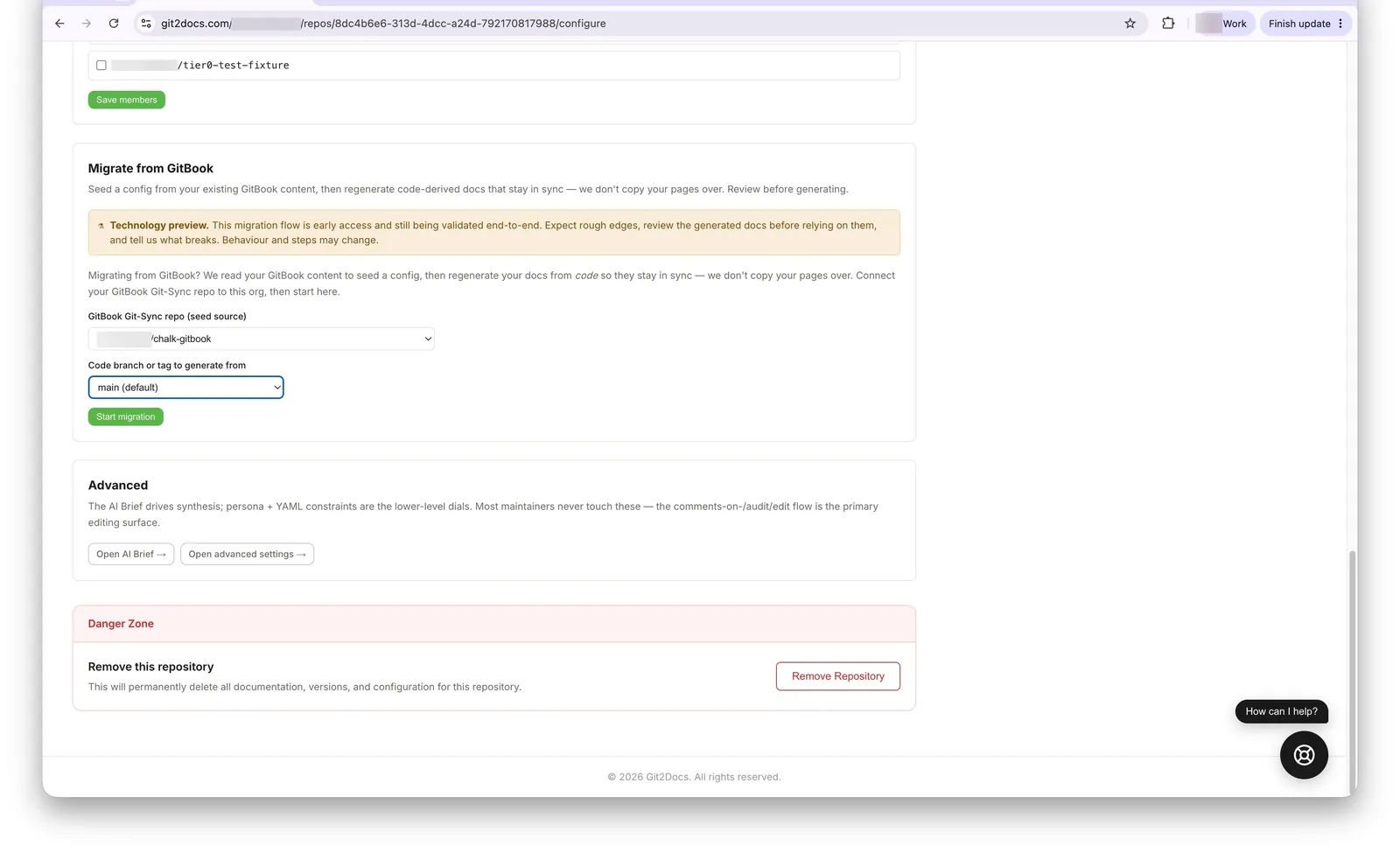
Migrate from GitBook — pick the synced repo and the code branch, then Start. - Review the seeded config. Git2Docs reads your GitBook (its
SUMMARY.mdstructure and page prose) and seeds a config + brief — product identity, audience, the topics to cover, directory exclusions. It parks here for your review before the expensive step; nothing regenerates yet.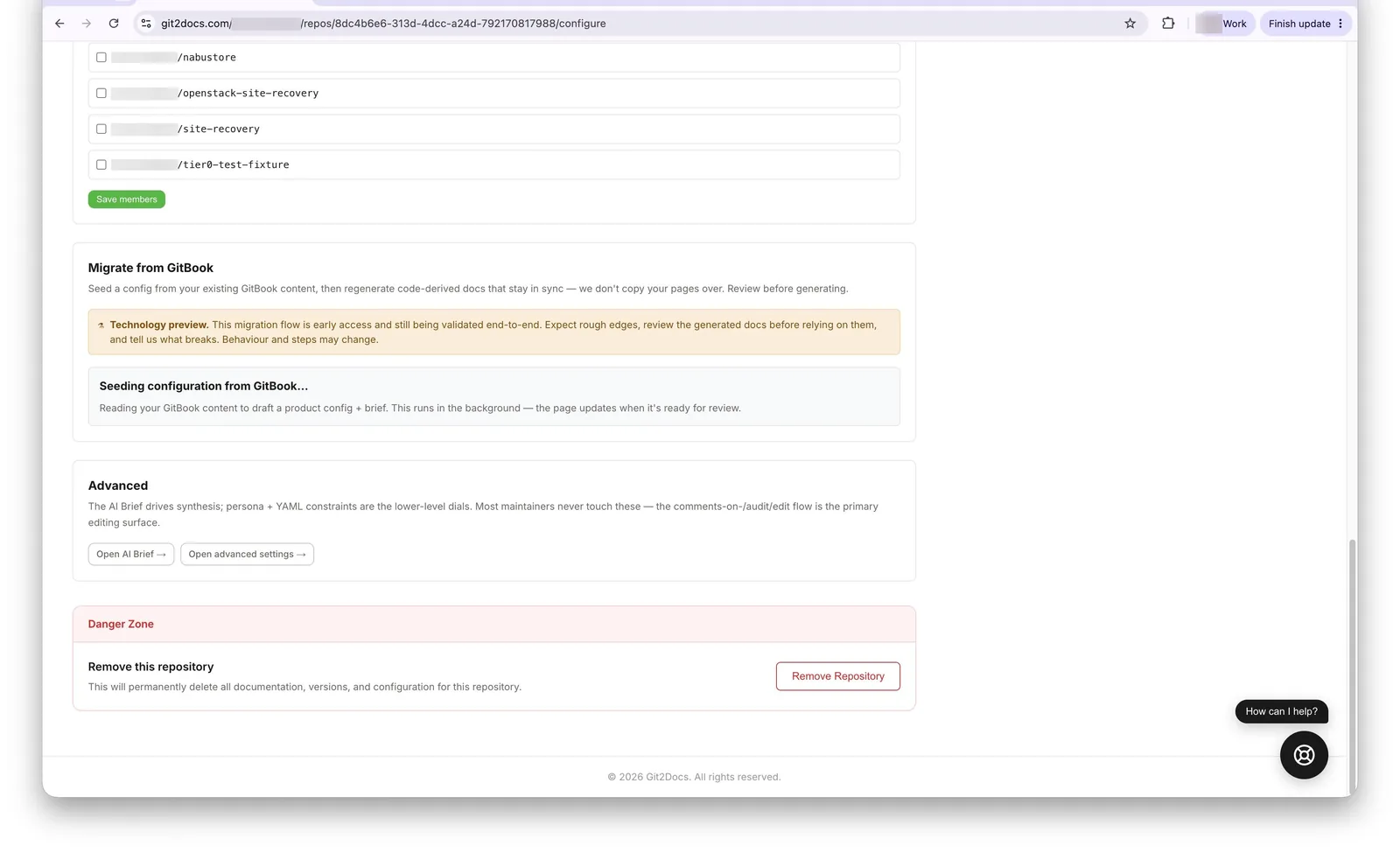
Git2Docs reads your GitBook and seeds a config + brief — no regeneration yet. 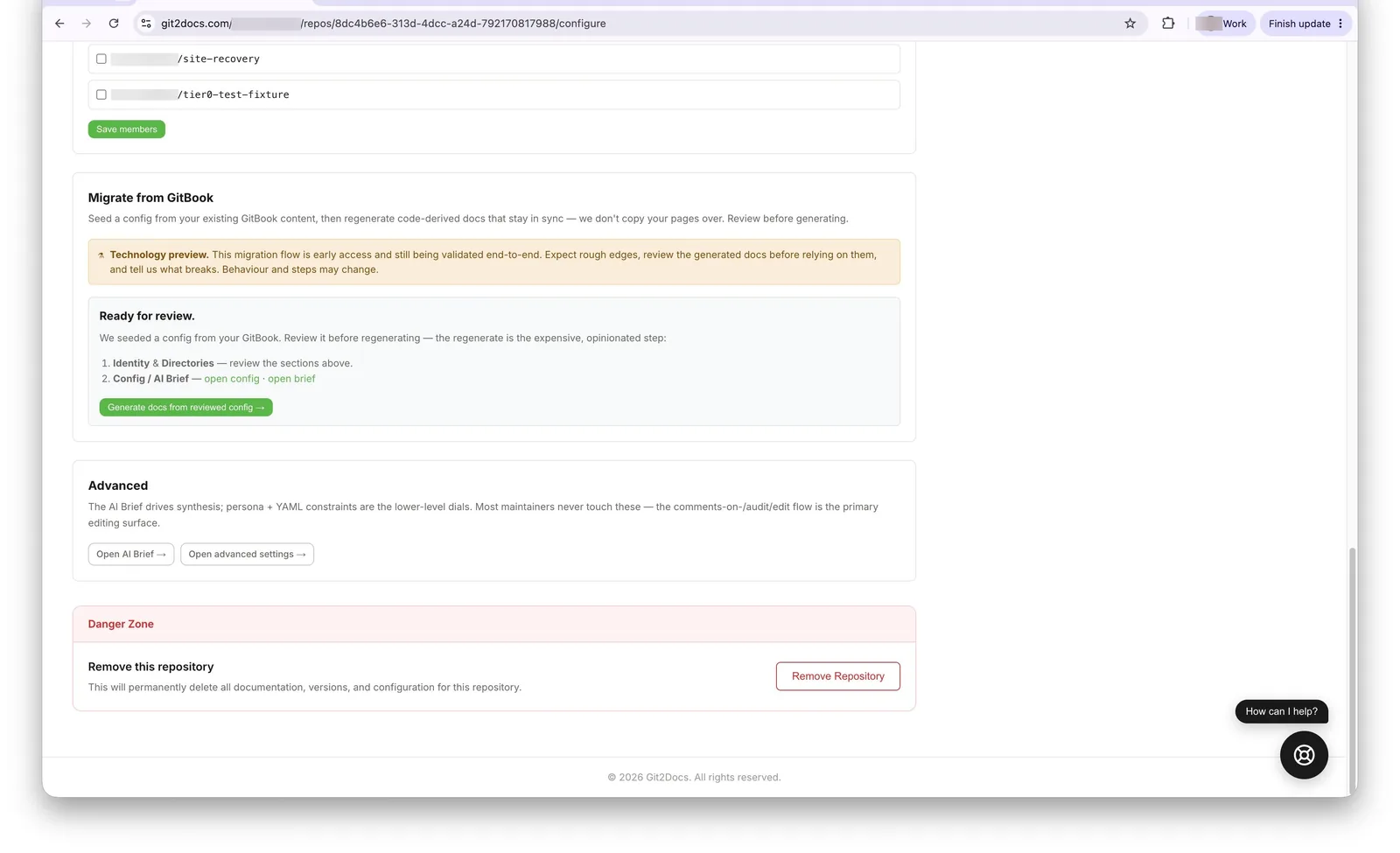
The review gate: check identity, directories, and the seeded brief, then Generate. - Generate from the reviewed config. Git2Docs regenerates code-derived docs from your chosen branch, then automatically runs the coverage check against your original GitBook content.
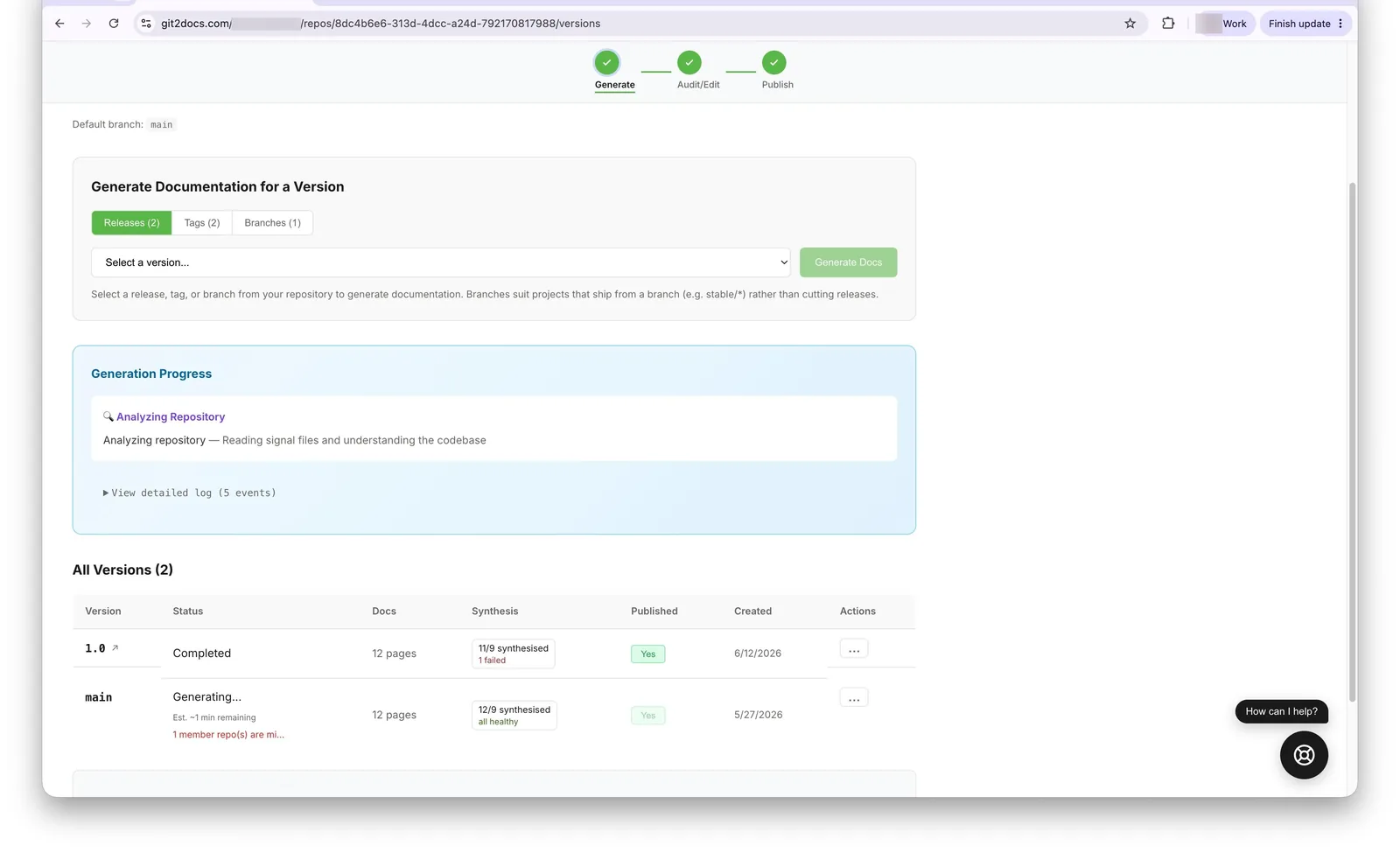
Generation kicks off: Git2Docs analyzes the repository… 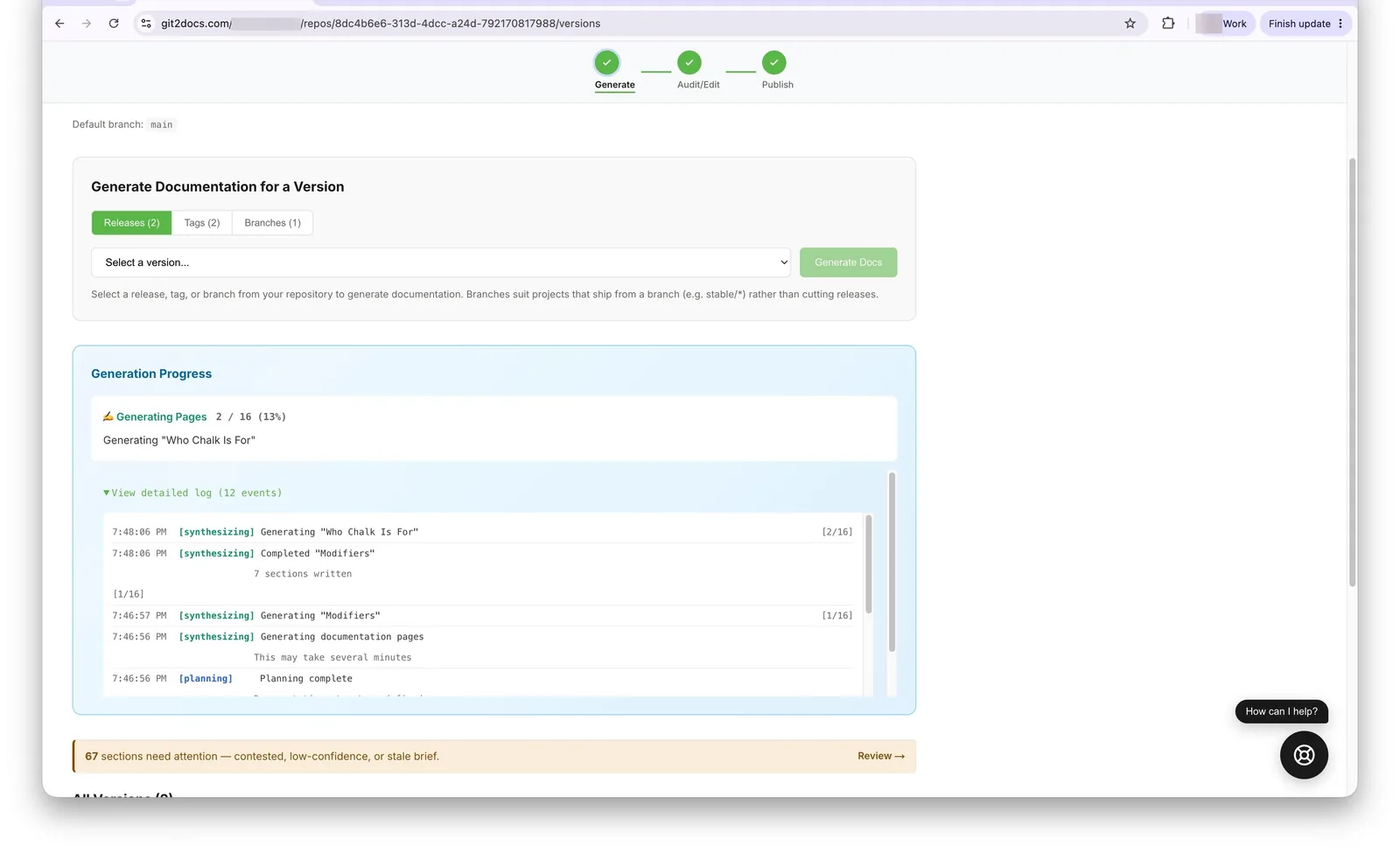
…synthesizes the pages from code… 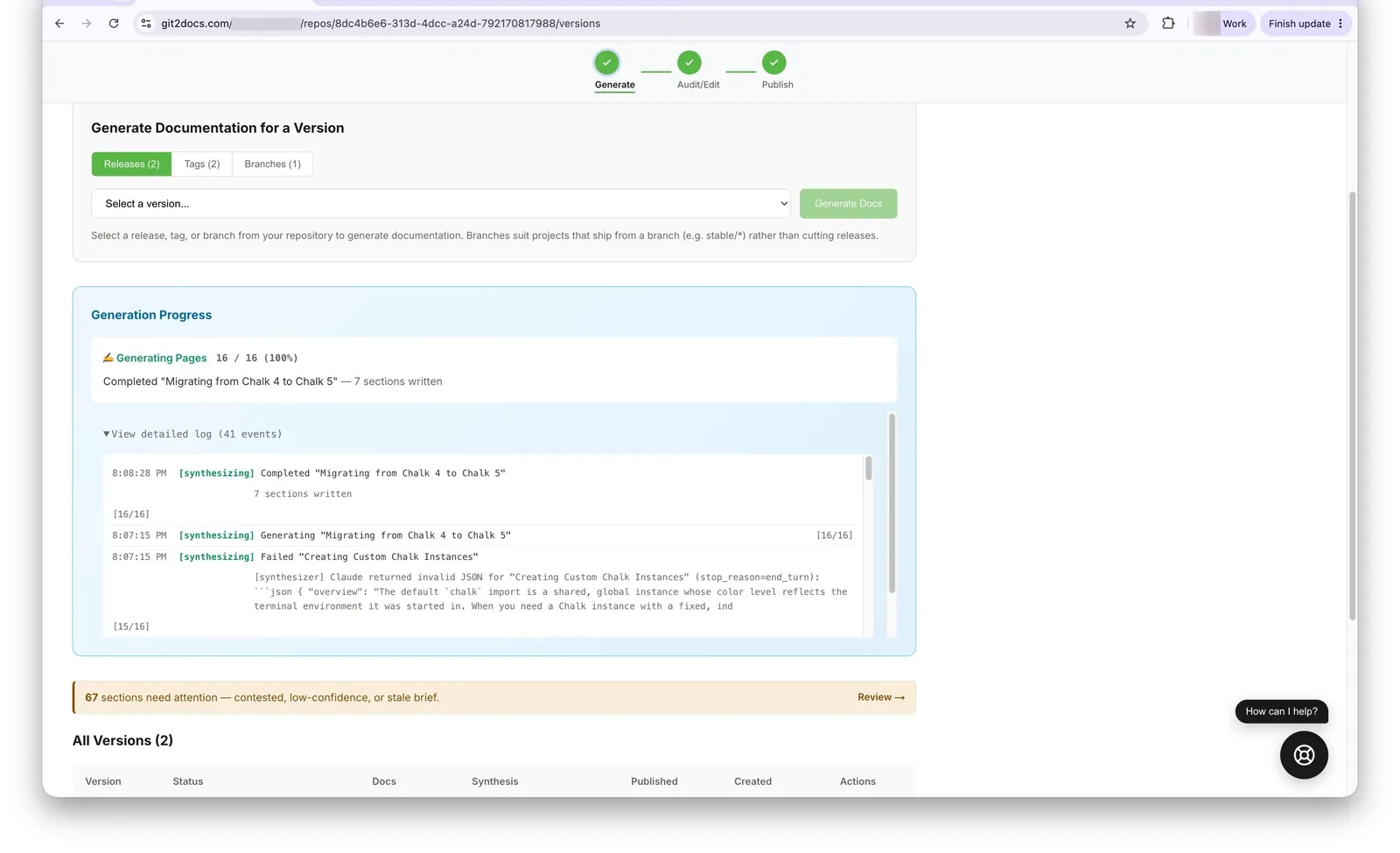
…and finishes the full cohort. - Work the coverage report. Gaps are grouped by page, worst-covered first, each with a suggested action: hand-carry (GUI walkthroughs, release notes — content that isn't in your code; dismiss with a reason), refine & re-generate (a concept that should be derivable but came out thin), or add a source repo (a cluster that belongs to a separate CLI/dashboard repo — add it as a member and re-generate). You're done when no undismissed gaps remain.
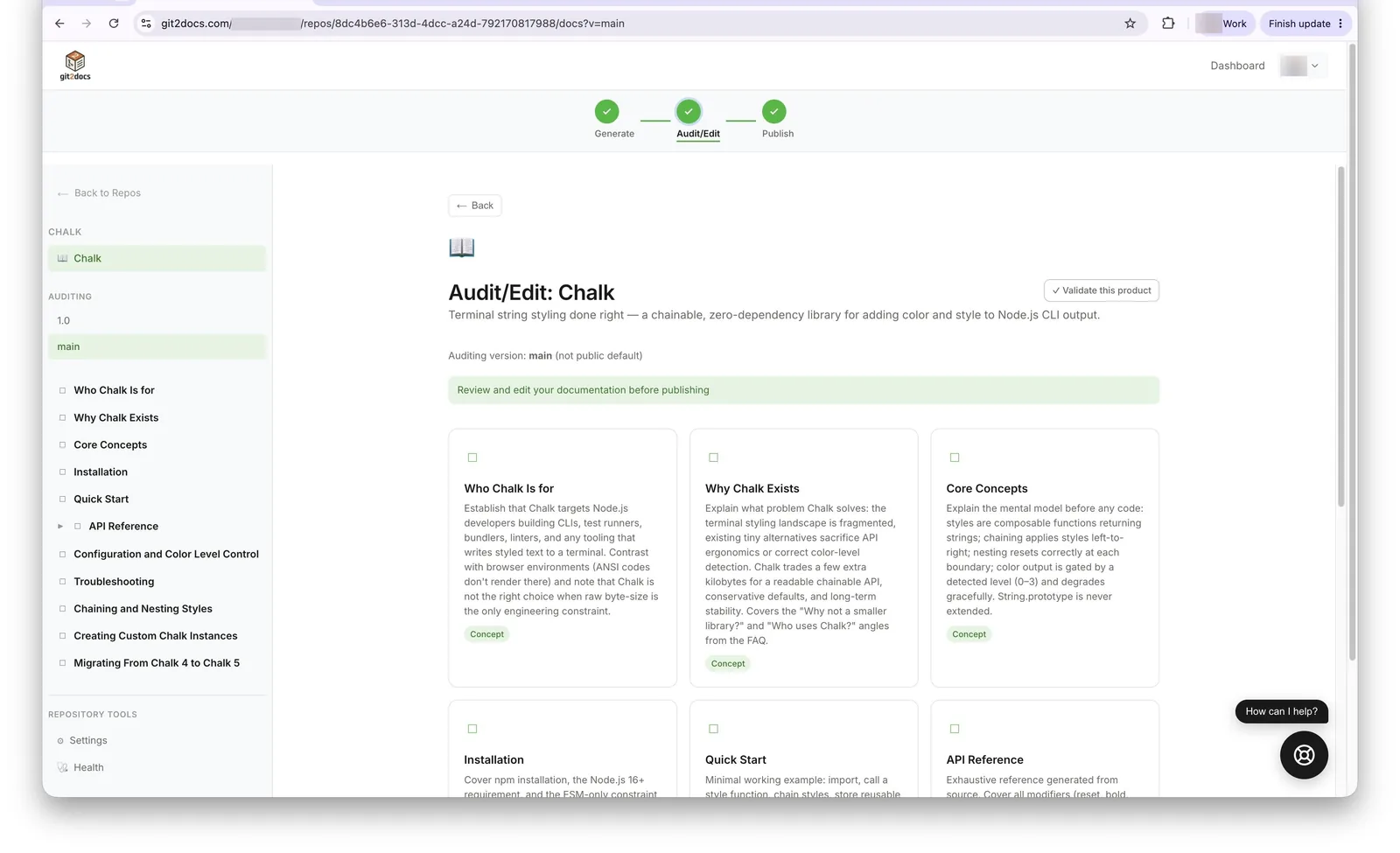
The regenerated docs land in Audit/Edit — review them, then Validate this product to check coverage. 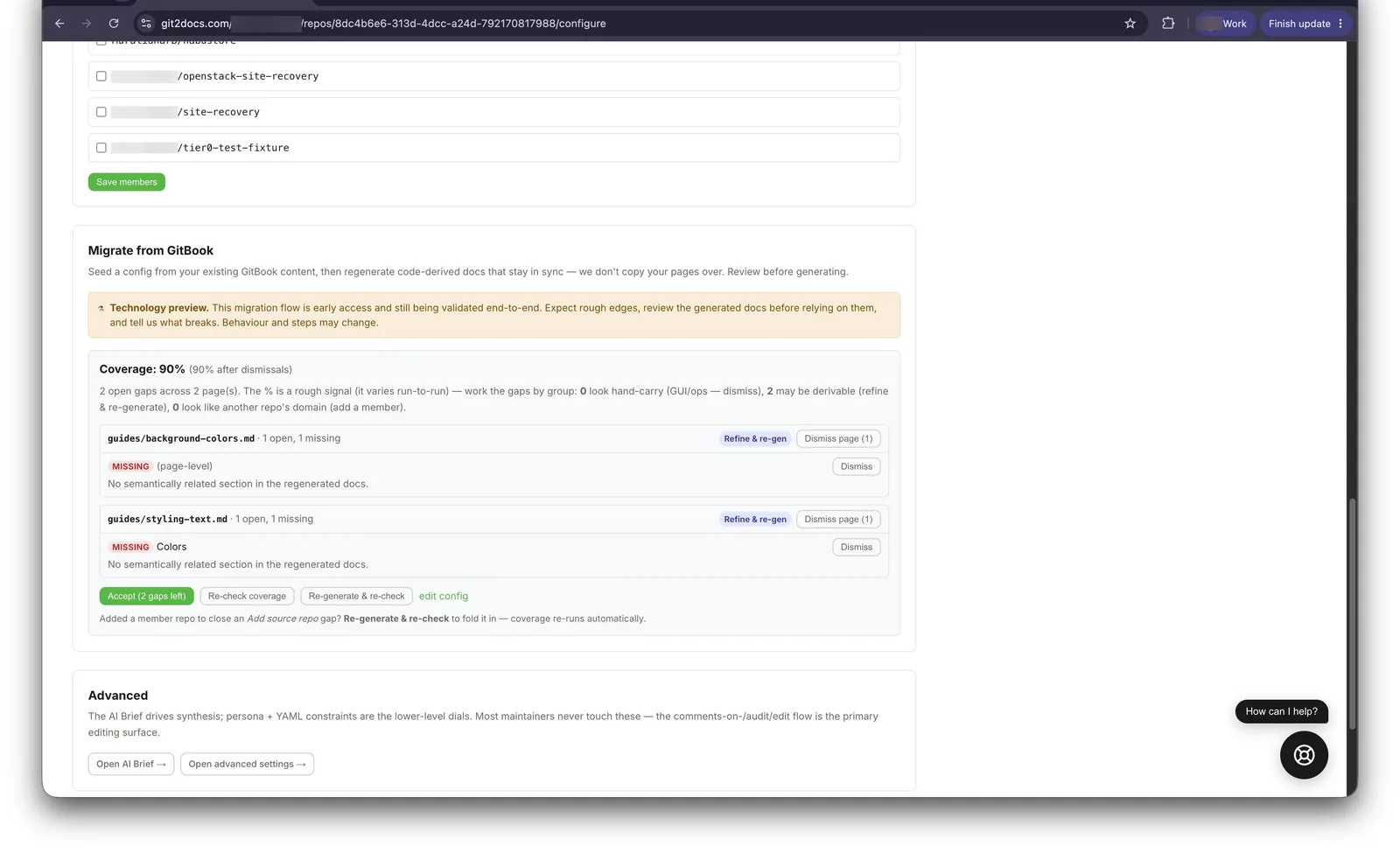
The coverage report: an overall score plus per-page gaps, each with a suggested action (refine & re-gen, dismiss, or add a source repo).
Available now
GitBook migration is generally available today. Early migrations can still be white-glove — we'll run the seed, regeneration, and coverage report with you and tune the coverage threshold on your real content. If you're on GitBook and weighing a move, start a trial or get in touch and we'll walk you through it.